Choosing the right CRM software can make a major difference for a small business. When leads are spread across WhatsApp conversations, phone calls, spreadsheets, email inboxes and website forms, it becomes surprisingly easy to forget follow-ups, lose customer history or let promising prospects go cold.
A good CRM brings those activities into one place. It can help a small sales team organize contacts, manage opportunities, schedule follow-ups, automate repetitive tasks and understand what is happening in the sales pipeline.
But choosing a CRM is not simply about finding the platform with the most features. A five-person business does not necessarily need an enterprise CRM with hundreds of configuration options. What matters more is whether the software fits the team’s workflow, budget, technical ability and growth plans.
For Indian small businesses, factors such as INR pricing, mobile usability, integrations, automation, WhatsApp-related workflows, local support and compatibility with other business applications can also influence the decision.
In this guide, we compare some of the strongest CRM software options for small businesses in India in 2026, explain where each platform fits best, discuss pricing considerations and show you how to choose a CRM without paying for features your business will never use.
Quick Comparison of the Best CRM Software for Small Businesses
| CRM Software | Best For | Free Option | Key Strength |
|---|---|---|---|
| Zoho CRM | Overall value | Yes | Broad features and Indian business ecosystem |
| Freshsales | Sales teams | Yes | Sales automation, phone and AI-assisted features |
| HubSpot CRM | Beginners and inbound marketing | Yes | Easy starting point and strong ecosystem |
| Pipedrive | Sales-focused teams | Trial | Simple visual sales pipeline |
| LeadSquared | Lead-heavy businesses | Trial/demo-based | Lead management and marketing-sales workflows |
| Salesforce | Growing and complex businesses | Trial options | Deep customization and scalability |
| Zoho Bigin | Micro-businesses and small teams | Yes | Simpler CRM experience |
Pricing, free-plan limits and available features can change, so businesses should verify the current commercial terms before purchasing.
What Is CRM Software?
CRM stands for Customer Relationship Management.
CRM software is designed to help businesses manage information and interactions related to prospects and customers.
Instead of keeping customer information in separate spreadsheets, email accounts and messaging applications, a CRM can create a centralized record for each contact or company.
A typical CRM may store information such as:
- Customer name and contact details
- Lead source
- Previous interactions
- Sales opportunities
- Follow-up dates
- Deal value
- Sales representative
- Notes
- Emails and activities
- Customer status
- Purchase history
- Tasks and reminders
The exact capabilities depend on the platform and plan.
For a small business, the biggest advantage is often visibility.
A salesperson should be able to open the CRM and quickly understand which leads are new, which prospects need follow-up, which deals are close to completion and which customers have not been contacted recently.
That is much more useful than simply having a large database of contacts.
Why Small Businesses Need a CRM
Many small businesses initially manage customers with spreadsheets.
There is nothing inherently wrong with using a spreadsheet when the business has very few customers. The problem appears when the sales process becomes more complicated.
Imagine a company receiving leads from its website, Google Ads, Instagram, WhatsApp and referrals.
Five salespeople may be handling those leads simultaneously.
Without a centralized system, several problems can occur.
One salesperson may contact a lead without knowing that another employee already spoke with the prospect. Another lead may remain unanswered for several days. Important customer information may remain inside an employee’s personal spreadsheet.
A CRM gives the business a shared system.
Centralized customer information
Instead of searching through multiple applications, employees can access customer information from one platform.
Better follow-up management
Sales representatives can create tasks, reminders and activities so important follow-ups do not depend entirely on memory.
Pipeline visibility
Managers can see how many opportunities are in different stages of the sales process.
Sales reporting
CRM reporting can help businesses understand lead sources, sales activity, deal values and pipeline movement.
Automation
Depending on the software, businesses can automate repetitive actions such as notifications, task creation, email sequences or lead assignment.
Better team coordination
A shared customer record reduces the risk of important information remaining with only one employee.
Best CRM Software for Small Businesses in India
1. Zoho CRM — Best Overall for Many Indian Small Businesses
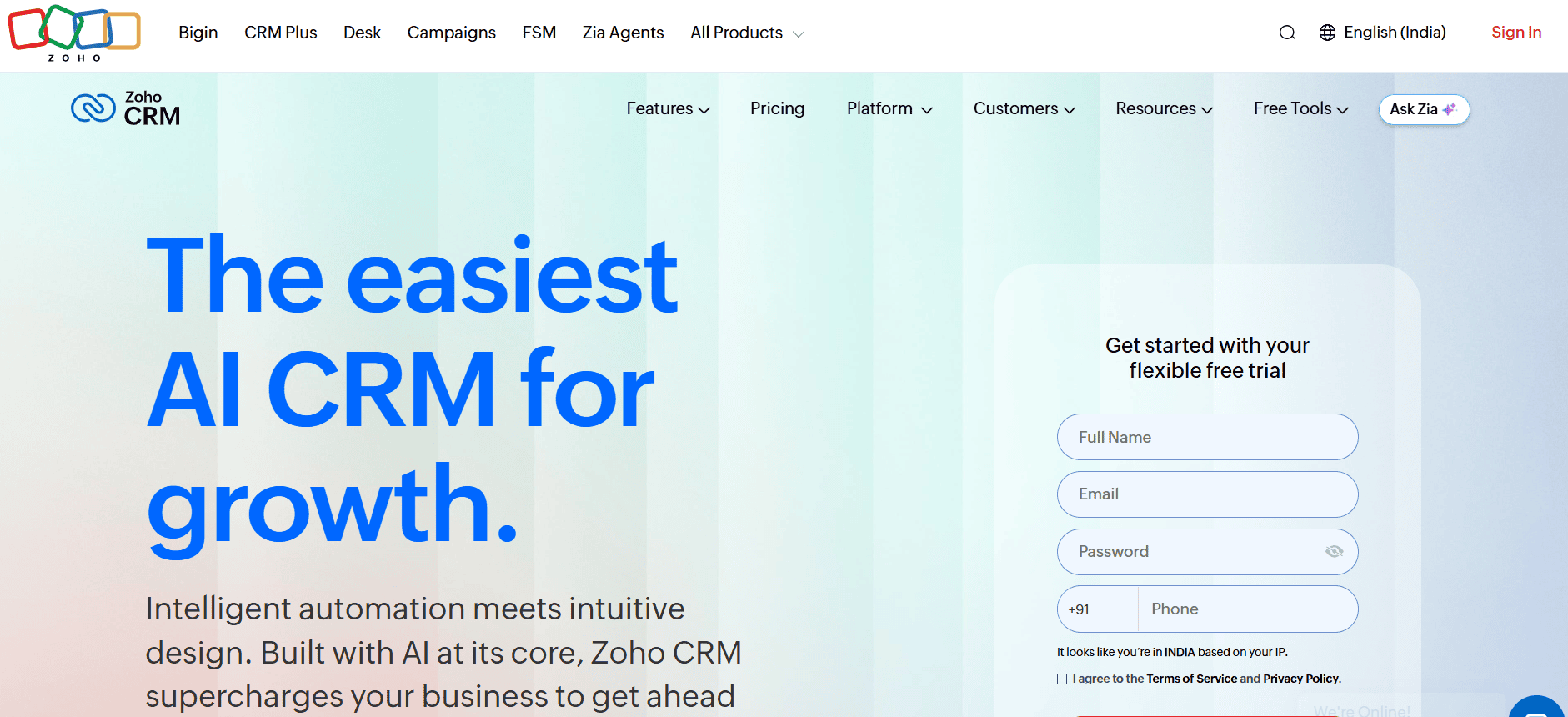
Zoho CRM is one of the strongest options for Indian businesses because it combines a broad feature set with an ecosystem of other business applications.
It can work for businesses that need more than a basic contact database.
The platform supports sales pipeline management, lead management, workflow automation, reporting, customization and integrations.
Its larger ecosystem can also become useful when a business is already using other Zoho products.
Zoho’s pricing calculator supports INR-based licensing and allows businesses to evaluate different CRM bundles and billing configurations. (Zoho)
Why Zoho CRM stands out
The biggest advantage is flexibility.
A small business can begin with basic contact and deal management and later introduce more sophisticated workflows as its requirements grow.
This makes Zoho CRM particularly interesting for companies that expect their sales operations to become more structured over time.
Best for
Zoho CRM is particularly suitable for:
- Small and medium-sized businesses
- Indian startups
- B2B companies
- Sales teams
- Businesses already using Zoho products
- Companies requiring customization
Potential limitations
The large number of features can also become a disadvantage.
A very small company that only needs a simple contact list and sales pipeline may find a full CRM suite more complicated than necessary.
Implementation should therefore be approached gradually.
Start with contacts, leads, deals and follow-ups before adding advanced automation.
2. Freshsales — Best for Sales-Focused Teams
Freshsales from Freshworks is another strong choice for small businesses that want a sales-oriented CRM.
Its current pricing structure includes Growth, Pro and Enterprise tiers, with features such as contact lifecycle stages, Kanban views, email, chat, phone capabilities and workflows varying by plan. Freshworks currently lists Growth at $9 per user per month when billed annually, with higher tiers offering additional sales and management capabilities. (Freshworks)
Freshsales is particularly interesting for teams that want sales activities, communication and customer information connected within the same environment.
Why Freshsales stands out
Sales representatives can manage contacts, deals and activities while using automation to reduce repetitive work.
Higher plans add capabilities such as contact scoring, deal insights, sales sequences, territory management and additional administrative controls.
AI capabilities are also part of the Freshworks ecosystem, but businesses should check exactly which AI functions are included in their selected plan rather than assuming every feature is available at the entry level.
Best for
Freshsales can be a good fit for:
- Sales teams
- Inside-sales businesses
- Growing startups
- Companies that rely heavily on follow-ups
- Teams wanting sales automation
Potential limitations
Some advanced functionality is restricted to higher plans or available as additional paid functionality.
Businesses should therefore calculate the cost based on the features their team actually needs rather than comparing only the entry-level price.
3. HubSpot CRM — Best for Beginners and Inbound-Focused Businesses
HubSpot is particularly attractive to businesses that want CRM functionality alongside marketing and customer-facing tools.
Its free CRM tools provide a way for smaller teams to start without immediately committing to a paid CRM subscription. HubSpot currently lists its free sales tools at $0 and provides paid Sales Hub tiers for businesses requiring more advanced capabilities. (HubSpot)
This makes HubSpot interesting for startups and small businesses that want to experiment with CRM without making a large initial investment.
Why HubSpot stands out
The platform connects CRM functionality with marketing, sales and customer-service tools.
That can be valuable for an inbound-focused business where a visitor may become a lead, receive marketing communication and eventually become a customer.
A business can therefore create a broader customer journey rather than treating the CRM purely as a sales database.
Best for
HubSpot is worth considering for:
- Startups
- Content-driven businesses
- Marketing-led companies
- SaaS companies
- Businesses generating website leads
- Teams wanting a recognizable ecosystem
Potential limitations
The biggest consideration is the transition from free or entry-level functionality to more advanced paid capabilities.
HubSpot’s professional and enterprise products can become considerably more expensive as requirements increase. Current pricing also includes different tiers, usage considerations and, for certain products, onboarding charges. (HubSpot)
Small businesses should therefore calculate their likely three-year cost rather than evaluating HubSpot only on its free starting point.
4. Pipedrive — Best for Simple Sales Pipeline Management
Pipedrive is particularly well suited to companies that primarily want a straightforward sales CRM.
Its interface and product philosophy are strongly centered around managing leads, deals and sales pipelines.
The current pricing structure includes Lite, Growth, Premium and Ultimate plans. Pipedrive currently lists Lite at $14 per seat per month when billed annually, with higher plans adding more advanced automation, lead generation, customization, AI and security capabilities. (Pipedrive)
Why Pipedrive stands out
Its biggest strength is focus.
If your primary question is:
“Which leads are we working on, what stage are they in and what should we do next?”
Pipedrive can be a compelling option.
The visual pipeline makes it easier for salespeople to understand deal progression.
Best for
Pipedrive works particularly well for:
- B2B sales teams
- Agencies
- Consultants
- Sales-focused startups
- Small businesses with structured sales pipelines
Potential limitations
Pipedrive is primarily a sales CRM.
Businesses looking for a complete accounting, HR, inventory or marketing ecosystem may need additional software and integrations.
Its pricing is also denominated in US dollars, which means Indian businesses should account for currency conversion and applicable taxes when calculating the real cost.
5. LeadSquared — Best for Lead-Heavy Businesses
LeadSquared is particularly relevant for businesses where lead generation and follow-up are central to revenue.
Industries such as education, financial services, real estate and other high-volume lead businesses often require more than a basic customer database.
They need lead capture, assignment, nurturing and sales tracking.
That is where a platform such as LeadSquared can become interesting.
Why LeadSquared stands out
The platform focuses strongly on lead management and marketing-to-sales workflows.
For businesses receiving a large number of inquiries, the ability to organize leads and route them to the appropriate sales representatives can be more valuable than having hundreds of CRM customization options.
Best for
LeadSquared can be suitable for:
- Education businesses
- Real estate companies
- Financial services
- High-volume sales teams
- Businesses running multiple lead-generation campaigns
Potential limitations
A lead-heavy CRM can be excessive for a small consulting business that receives only a handful of prospects each month.
Businesses should match the CRM to their actual sales volume.
6. Salesforce — Best for Businesses Planning Complex Growth
Salesforce remains one of the most powerful CRM platforms available, particularly when customization, automation, integrations and large-scale operations become important.
However, that does not automatically make it the best CRM for a small business.
A business with three employees and a simple sales pipeline may gain little from implementing an enterprise-oriented CRM.
Salesforce becomes more compelling when the organization has complex sales processes, multiple teams, significant data requirements or plans for sophisticated CRM customization.
Best for
Salesforce is better suited to:
- Fast-growing companies
- Larger sales organizations
- Complex B2B operations
- Businesses requiring extensive customization
- Companies with dedicated CRM administrators
Potential limitations
The platform can involve a steeper learning curve and greater implementation complexity than simpler small-business CRMs.
For a very small team, that complexity may outweigh the benefits.
7. Zoho Bigin — Best for Micro-Businesses
Some businesses need a CRM but do not need a large CRM suite.
A small agency, freelancer, consultant or local service company may only need:
- Contacts
- Deals
- Tasks
- Follow-ups
- A simple pipeline
That is where a simpler CRM such as Zoho Bigin can make sense.
Its smaller scope can make adoption easier for businesses that are moving away from spreadsheets for the first time.
The main advantage is not having every possible feature.
It is having enough features to create a consistent sales process without overwhelming the team.
Best CRM by Business Need
There is no single CRM that is perfect for every small business.
Best overall
Zoho CRM is a strong overall choice for businesses wanting broad functionality, customization and an Indian business software ecosystem.
Best for sales teams
Freshsales is worth considering when sales activity, communication and automation are central to the business.
Best starting point
HubSpot CRM is attractive for businesses that want to begin with free CRM functionality and potentially expand into a larger marketing and sales ecosystem.
Best for a simple sales pipeline
Pipedrive is particularly suitable when the main requirement is managing deals and sales stages without building an enormous business-management system.
Best for high-volume leads
LeadSquared can be a strong candidate for organizations where lead capture, distribution and follow-up are critical.
Best for complex businesses
Salesforce makes more sense when customization, scale and complex processes justify the additional implementation effort.
Best for very small teams
Zoho Bigin is worth considering when a business needs a simpler CRM experience rather than a broad enterprise platform.
What Features Should a Small Business Look for in CRM Software?
Buying CRM software based on a feature checklist alone can be a mistake.
The important question is whether the feature solves a real business problem.
Contact management
A CRM should make it easy to store and retrieve customer information.
At minimum, you should be able to search contacts quickly and see relevant activities.
Lead management
The software should help you understand where leads came from and what stage they are currently in.
This becomes especially important when leads arrive from multiple channels.
Sales pipeline
A visual pipeline can show opportunities from initial contact through negotiation and closing.
The pipeline should reflect your actual sales process rather than forcing your business into an unnecessarily complicated workflow.
Follow-up reminders
This is one of the most useful CRM features for small teams.
A CRM should help salespeople know what needs to happen next.
Automation
Automation can handle repetitive tasks such as creating follow-up activities, sending notifications or updating records when certain conditions are met.
However, automation should be introduced carefully.
Automating a badly designed process only makes the bad process happen faster.
Reporting
At minimum, managers should be able to understand:
- Number of leads
- Open opportunities
- Deal values
- Conversion stages
- Sales activity
- Lost opportunities
- Lead sources
More advanced analytics may be useful as the company grows.
Mobile application
For Indian businesses with field sales representatives, service teams or mobile-first employees, a usable mobile CRM can be extremely important.
A powerful desktop CRM becomes less useful if employees cannot conveniently update customer information while away from their desks.
Integrations
Look at the applications your business already uses.
For example:
- Calendar
- Accounting software
- Website forms
- Marketing platforms
- Messaging tools
- Payment systems
- Customer-support software
The best CRM is often the one that fits your existing technology stack rather than the one with the longest feature list.
Why WhatsApp Integration Matters for Indian Businesses
WhatsApp is widely used for business communication in India.
That makes messaging workflows particularly relevant for many Indian companies.
However, businesses should be careful when they see the phrase “WhatsApp integration.”
It can mean very different things.
A CRM may support:
- WhatsApp notifications
- WhatsApp Business Platform integration
- Third-party connectors
- Message templates
- Conversation tracking
- Lead capture
- Automated messages
These are not necessarily equivalent.
Before buying a CRM because of WhatsApp support, determine exactly what the integration can do, whether it requires another provider and whether additional messaging charges apply.
How Much Does CRM Software Cost in India?
CRM pricing varies dramatically.
Some products offer free plans.
Others charge per user.
Some charge based on features, contacts, usage or additional services.
International CRM platforms may also quote prices in US dollars, while Indian vendors may offer INR pricing.
For example, Pipedrive currently publishes its main subscription prices in US dollars and offers annual discounts compared with monthly billing. (Pipedrive)
Freshsales also publishes its current pricing in USD on its global pricing page, with its entry-level Growth plan listed at $9 per user per month when billed annually. (Freshworks)
Therefore, do not compare two CRM products solely by their advertised entry prices.
Instead, calculate the actual cost for your business.
Consider these costs
User licenses:
How many employees need access?
Higher-tier features:
Will your business require automation, reporting or AI capabilities that are unavailable on the cheapest plan?
Integrations:
Do third-party connectors cost extra?
Implementation:
Will you need external help configuring the CRM?
Training:
Will employees need structured training?
Data migration:
How much effort will be required to move your existing spreadsheet or CRM data?
Add-ons:
Are telephony, messaging, marketing or reporting capabilities sold separately?
Free CRM vs Paid CRM
A free CRM can be perfectly adequate for a small business.
In fact, starting free can be a sensible strategy if you are implementing CRM software for the first time.
The important question is not:
“Is free better?”
It is:
“Does the free plan support our actual workflow?”
A free plan may have restrictions around:
- Number of users
- Automation
- Reports
- Storage
- Email functionality
- Integrations
- Custom fields
- AI features
- Support
Do not confuse a free trial with a permanently free plan.
A 14-day trial gives you temporary access to paid functionality. A free plan continues without requiring payment, although it may have significant limitations.
How to Choose the Right CRM for Your Small Business
Step 1: Define the problem
Do not start by browsing CRM feature pages.
Start by asking what is currently going wrong.
Are leads being lost?
Are follow-ups being missed?
Are salespeople using separate spreadsheets?
Is management unable to see the sales pipeline?
Are customer conversations scattered across multiple employees?
Your answer will determine what type of CRM you need.
Step 2: Map your sales process
Write down the stages a lead normally goes through.
For example:
New Lead → Contacted → Qualified → Proposal → Negotiation → Won/Lost
Your CRM should support your real process.
Step 3: Decide who actually needs access
Not every employee needs a paid CRM seat.
Salespeople may need full access.
Managers may require reporting access.
Other employees may only need limited visibility.
Understanding this before purchasing can prevent unnecessary subscription costs.
Step 4: Identify essential integrations
List the applications your business already uses.
Then check whether the CRM integrates with them directly or requires third-party software.
Step 5: Test with real data
A CRM demo can look impressive.
Your actual workflow is a better test.
Import a small sample of real contacts and create several deals.
Ask your team to use the system for a few days.
If employees struggle to update records, that is an important warning sign.
Step 6: Calculate the long-term cost
Do not evaluate only the first month’s subscription.
Estimate what you will spend when your business grows.
A CRM that costs little for five users may become expensive for 30 users.
Step 7: Check your exit options
Before committing to any CRM, understand how you can export your data.
Your customer information should not become impossible to move if you change software later.
Common CRM Mistakes Small Businesses Make
Buying too much software
A company with four employees does not need an enterprise CRM simply because it is powerful.
Complexity has a cost.
Choosing based only on price
The cheapest CRM is not necessarily the least expensive option.
If employees stop using it, the subscription becomes wasted expenditure.
Ignoring adoption
CRM implementation is ultimately a people problem as much as a technology problem.
Employees need to understand why the system matters.
Automating too early
Build a clean process first.
Then automate repetitive parts.
Ignoring data quality
A CRM full of duplicate, outdated or incomplete records will produce poor results.
Paying for unused features
Do not purchase a higher plan simply because it includes 100 additional features.
Pay for capabilities your business genuinely needs.
How to Implement CRM Software Successfully
Choosing the CRM is only half the job.
Implementation determines whether the software becomes useful.
Start with a small scope
Begin with:
- Contacts
- Leads
- Deals
- Sales stages
- Tasks
- Follow-ups
Once employees are comfortable, introduce more sophisticated workflows.
Create clear data rules
Decide how employees should enter:
- Customer names
- Phone numbers
- Lead sources
- Deal stages
- Notes
- Follow-up dates
Consistency matters.
Assign ownership
Every lead should have a clear owner.
This prevents the classic situation where everyone assumes someone else will follow up.
Train employees around real scenarios
Instead of teaching every feature, show employees how to perform common tasks.
For example:
“Here is how you add a new lead.”
“Here is how you schedule a follow-up.”
“Here is how you move a deal to the proposal stage.”
“Here is how you record a customer conversation.”
This makes training more practical.
CRM Security and Privacy Considerations
A CRM contains valuable business information.
Depending on the business, that information may include customer contact details, sales records, employee information and commercially sensitive data.
Before selecting a CRM, review its security documentation and available controls.
Important areas may include:
- Two-factor authentication
- User permissions
- Role-based access
- Single sign-on
- Audit logs
- Data encryption
- Backup policies
- Data retention
- Data export
- Regional data considerations
- Privacy controls
Do not assume that a popular CRM automatically meets every security requirement your business may have.
Companies operating in regulated industries should involve the appropriate legal, compliance or security professionals before storing sensitive information in a new SaaS platform.
CRM and AI: What Should Small Businesses Actually Expect?
AI is becoming increasingly common in CRM software.
Modern platforms may use AI for tasks such as:
- Lead scoring
- Email drafting
- Conversation summaries
- Sales forecasting
- Data enrichment
- Suggested follow-ups
- Report generation
- Customer-service assistance
- Workflow recommendations
But AI should be treated as an assistant rather than an unquestionable decision-maker.
For example, an AI-generated email may save time, but a salesperson should still review it before sending.
Similarly, an AI-generated sales forecast should not automatically be treated as a guaranteed prediction.
The value of AI depends on the quality of the underlying data and how the business uses the output.
How CRM Software Can Help Different Indian Businesses
Real estate
A CRM can help brokers track property inquiries, schedule follow-ups and manage prospects across different properties.
Digital marketing agencies
Agencies can track leads, proposals, client communication and sales opportunities.
E-commerce businesses
CRM software can help manage customer information and connect customer activity with marketing or service workflows, depending on the platform.
Education businesses
Lead-heavy education companies can use CRM systems to manage inquiries, counselor assignments and follow-up stages.
Consultants
Consultants can use a simple pipeline to track prospects from initial inquiry through proposal and contract.
Local service businesses
A CRM can help organize inquiries, appointments, repeat customers and follow-ups without relying entirely on spreadsheets.
Frequently Asked Questions
What is the best CRM software for small businesses in India?
There is no universal winner. Zoho CRM is a strong overall option for many Indian small businesses because of its feature depth and broader business software ecosystem. Freshsales can be attractive for sales-focused teams, while HubSpot is useful for businesses wanting to start with free CRM tools.
What is the best free CRM for a small business?
HubSpot and Zoho CRM both offer ways for small teams to start with free CRM functionality, although their limits and feature sets differ. Always check the current free-plan restrictions before choosing.
Is CRM software worth it for a small business?
It can be, particularly when the business has multiple salespeople, recurring follow-ups or leads coming from several channels. A very small business with only a few customers may not need a full CRM yet.
How many users should a small business have in a CRM?
Only employees who genuinely need access should receive paid seats. Sales representatives, managers and customer-facing employees may need different levels of access depending on the workflow.
Is Zoho CRM good for Indian businesses?
Yes, Zoho CRM is particularly relevant to Indian businesses because Zoho has a strong presence in India and offers a broad ecosystem of business applications. Its flexibility also makes it suitable for companies that expect their requirements to become more sophisticated.
Is HubSpot CRM really free?
HubSpot offers free CRM tools, but its paid products provide significantly more advanced capabilities. Businesses should distinguish between the free CRM functionality and paid Sales, Marketing, Service and other products.
Is Pipedrive good for small businesses?
Pipedrive can be a strong option for small businesses that primarily need sales pipeline and deal management. Its focus is particularly useful for teams that want a straightforward sales workflow rather than a large all-in-one business suite.
Should a small business use a free CRM or paid CRM?
Start with free software if it genuinely supports your workflow. Upgrade when you encounter a specific limitation that affects your business rather than paying for advanced functionality simply because it is available.
How much does CRM software cost in India?
The cost can range from free plans to significantly higher per-user subscriptions. The final price depends on users, billing cycle, features, add-ons, integrations and taxes. International products may also use foreign-currency pricing.
What should I check before buying CRM software?
Check ease of use, pricing, user limits, automation, integrations, reporting, mobile functionality, data export, security controls, support, scalability and the actual features included in the plan you intend to purchase.
Final Verdict
The best CRM software for a small business is not necessarily the most advanced platform.
It is the system your team can understand, afford and consistently use.
For many Indian small businesses, Zoho CRM is a strong overall choice because it offers broad CRM capabilities and fits well into a wider business software ecosystem.
Freshsales is worth considering when sales activity and automation are the priority.
HubSpot CRM makes sense for businesses that want to begin with free CRM tools and potentially expand into a broader marketing and sales platform.
Pipedrive is particularly appealing to sales teams that want a focused visual pipeline.
LeadSquared can be valuable for businesses where high-volume lead management is central to the sales process.
And while Salesforce offers substantial power and scalability, it is generally more appropriate when a business has the complexity and resources to justify that level of CRM infrastructure.
Before purchasing, identify your actual sales problems, define the workflow you want the CRM to manage, calculate the full cost and test the software with real-world scenarios.
A simple CRM that your employees update every day is usually more valuable to a small business than a sophisticated CRM that nobody wants to use.