
Choosing accounting software for a small business is no longer just about recording income and expenses. Indian businesses increasingly need software that can handle GST-related workflows, invoicing, payments, bank reconciliation, inventory, reporting and, for applicable businesses, e-invoicing.
The right accounting software can reduce repetitive bookkeeping work and give business owners a clearer view of cash flow, receivables, expenses and profitability. The wrong software, however, can create unnecessary complexity or force a business to change its workflow simply to fit the application.
There is also no single accounting platform that works equally well for every Indian business. A freelancer may need little more than professional invoicing and expense tracking. A retailer may need inventory and barcode management. A distributor may require detailed stock control. A growing startup may prioritize cloud access, integrations and automation.
In this guide, we’ll compare some of the leading accounting software options for small businesses in India in 2026, including their strengths, limitations, pricing approaches, GST capabilities and suitability for different types of businesses.
Important: Accounting software pricing and features can change. The prices mentioned below are based on currently available vendor information where available and should be rechecked before purchase.
Quick Comparison of the Best Accounting Software for Small Businesses
| Software | Best For | Pricing Approach | Key Strength |
|---|---|---|---|
| Zoho Books | Cloud-first SMBs and startups | Free + paid subscriptions | Cloud accounting, GST and automation |
| TallyPrime | Established businesses and accountants | Subscription/licence | Deep accounting and Indian business workflows |
| Vyapar | Small shops and mobile-first businesses | Paid plans/trials | Simple billing and inventory |
| myBillBook | Retailers and micro-businesses | Affordable subscriptions | Billing, inventory and mobile access |
| BUSY | Traders and inventory-heavy businesses | Subscription/licence | Accounting, GST and inventory |
| Marg ERP | Distribution-heavy industries | Subscription/licence | Industry-focused inventory and ERP |
| Odoo | Businesses wanting broader ERP functionality | Modular pricing | Accounting combined with business applications |
The most appropriate option depends on business size, industry, accounting complexity, inventory requirements, accountant preferences and whether cloud access is important.
What Is Accounting Software?
Accounting software is a digital system used to record, organize and analyze a business’s financial transactions.
Depending on the platform, it can help with:
- Sales invoices
- Purchase invoices
- Expenses
- Payments
- Receivables
- Payables
- Bank reconciliation
- GST-related records and reports
- Inventory
- Financial statements
- Tax-related reports
- Customer management
- Vendor management
- Business reporting
Modern accounting platforms can go beyond traditional bookkeeping.
For example, cloud accounting software may automatically import bank transactions, send payment reminders, generate recurring invoices and provide financial dashboards.
The exact capabilities depend on the software and subscription plan.
Why Small Businesses Need Accounting Software
A spreadsheet can work when a business has only a handful of transactions.
As transaction volume increases, however, manual accounting becomes more difficult.
A business owner may need to track:
- Who owes money
- Which bills need to be paid
- How much GST has been collected
- Which invoices are overdue
- How much inventory is available
- Whether the business is profitable
- How much cash is available
Accounting software can bring these activities into one system.
Better invoice management
Businesses can create professional invoices, track their status and follow up on unpaid amounts.
Easier expense tracking
Expenses can be categorized and associated with the appropriate accounts or projects.
Financial visibility
Reports can help owners understand revenue, expenses, receivables, payables and profitability.
GST workflows
Indian accounting platforms can provide GST-related features such as tax configuration, reports and, depending on the software, filing or e-invoicing workflows.
Reduced repetitive work
Automation can reduce manual tasks such as recurring invoices and payment reminders.
Easier collaboration
Cloud-based systems can allow business owners, accountants and authorized employees to access the same financial records.
1. Zoho Books — Best Cloud Accounting Software for Many Indian SMBs
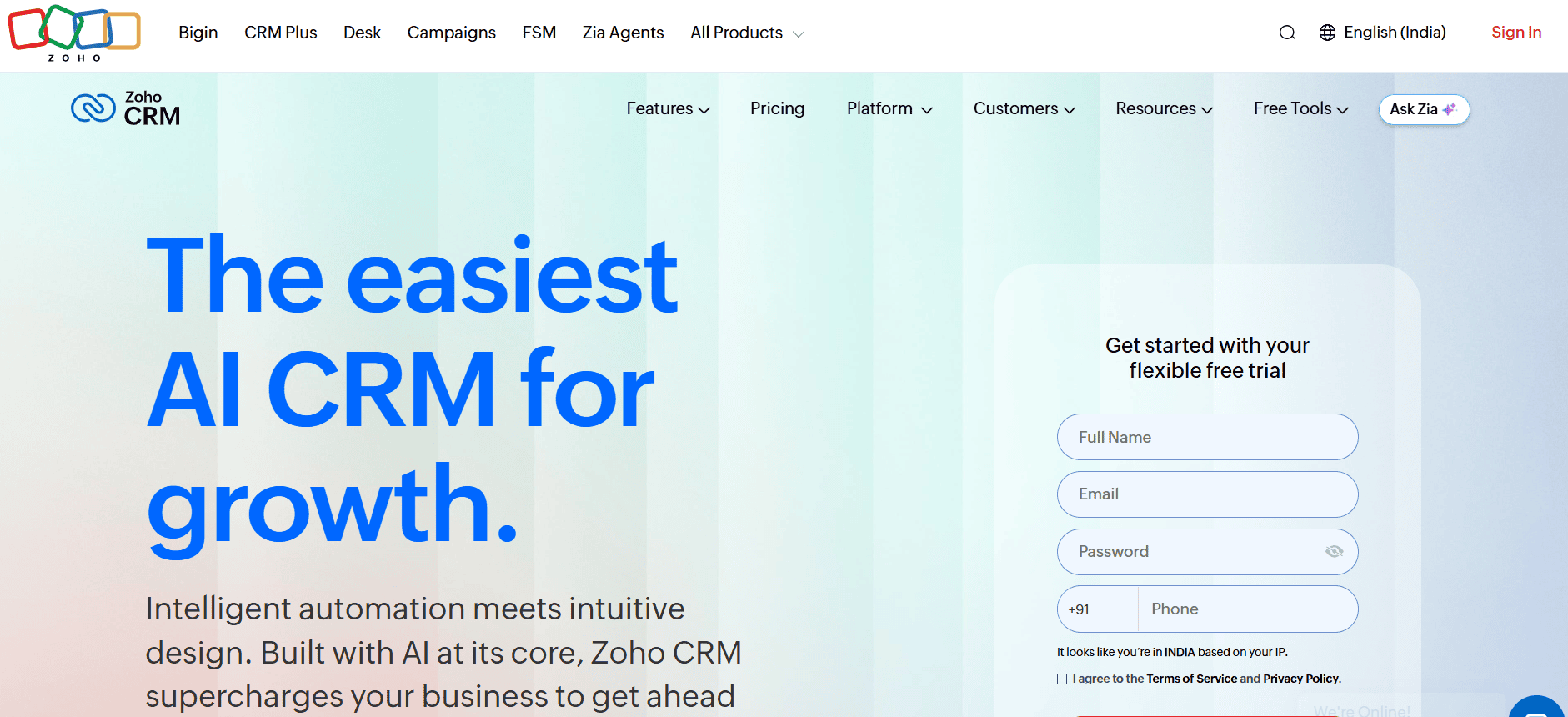
Zoho Books is one of the strongest options for Indian small businesses that want cloud-based accounting combined with automation and a broader business software ecosystem.
The Indian edition includes features around invoicing, expenses, inventory, banking, GST reports, payment reminders, customer portals and reporting. (Zoho)
Its current Indian pricing includes a free plan, while the Standard plan is listed at ₹899 per organization per month when billed monthly or ₹749 per month when billed annually. Higher plans add capabilities for inventory, automation, customization and analytics. Prices are listed excluding local taxes. (Zoho)
Why Zoho Books stands out
The biggest advantage is that it is designed for businesses that want accounting to connect with other business processes.
A growing company might eventually need:
- CRM
- Accounting
- Inventory
- Expense management
- Online payments
- Project management
- Analytics
Using products within one ecosystem can reduce the need to maintain completely disconnected systems.
Zoho Books also supports GST-oriented workflows, including GST reports and filing-related functionality in applicable plans. (Zoho)
Best for
Zoho Books is particularly suitable for:
- Startups
- Service businesses
- Freelancers
- Agencies
- E-commerce businesses
- Remote businesses
- Small companies that want cloud access
- Businesses already using Zoho applications
Pricing considerations
The free plan is useful for very small businesses that meet its eligibility and usage limits.
The Standard plan currently supports three users, while higher tiers increase user capacity and add functionality. (Zoho)
Businesses should evaluate the plan based on actual requirements rather than choosing the cheapest subscription automatically.
Potential limitations
Zoho Books can become more complex as you move into advanced features.
A very small retailer looking primarily for fast billing may find a specialized billing application easier to operate.
2. TallyPrime — Best for Traditional Indian Accounting Workflows
TallyPrime remains one of the most important accounting platforms for Indian businesses, particularly companies whose accountants or finance teams already work with Tally.
Its strength is accounting depth and familiarity within the Indian business environment.
TallyPrime is particularly relevant to businesses that need detailed accounting, inventory management and GST-related workflows.
Why TallyPrime stands out
TallyPrime has been built around business accounting rather than simply invoicing.
This makes it suitable for organizations with more complicated accounting requirements.
Businesses can use it for areas such as:
- Accounting
- Inventory
- Sales
- Purchases
- GST
- Banking
- Payroll-related workflows
- Reporting
The software is especially relevant when a company’s accountant, CA or finance team is already comfortable with the Tally environment.
Best for
TallyPrime can be particularly useful for:
- Traders
- Distributors
- Manufacturers
- Established SMEs
- Businesses with inventory
- Companies working closely with Tally-trained accountants
Pricing considerations
TallyPrime uses licence/subscription-based pricing rather than the same cloud SaaS structure used by many newer accounting platforms.
Current market pricing references list TallyPrime Silver around ₹750 per month on rental or approximately ₹22,500 for a perpetual licence, before applicable taxes. However, businesses should confirm the current price and edition directly before purchase because licensing options can change. (App Advisor)
Potential limitations
Businesses looking for a modern cloud-first workflow may prefer a platform such as Zoho Books.
Tally can also require more accounting knowledge than simpler billing applications.
For a small shop owner who simply wants to create invoices from a phone, a full accounting system may be unnecessary.
3. Vyapar — Best for Small Retailers and Mobile-First Businesses
Vyapar focuses strongly on billing, inventory and accounting for small businesses.
Its mobile-oriented approach makes it particularly relevant to shop owners and businesses that want to manage invoices and business records from smartphones.
Why Vyapar stands out
Many small businesses do not need a complex enterprise accounting system.
They need to:
- Create invoices
- Track customers
- Record purchases
- Monitor inventory
- Track payments
- Generate business reports
Vyapar’s focus on these practical tasks can make it easier for small businesses to get started.
Best for
Vyapar can be suitable for:
- Retail shops
- Small wholesalers
- Traders
- Service providers
- Home businesses
- Mobile-first business owners
Potential limitations
Businesses with advanced accounting requirements or complex multi-location operations may need a more sophisticated accounting or ERP platform.
Before choosing Vyapar, businesses should also check the current feature availability and plan restrictions for their specific GST and inventory requirements.
4. myBillBook — Best for Affordable Billing and Inventory
myBillBook is aimed heavily at small Indian businesses that need billing, inventory and business-management capabilities without adopting a large accounting suite.
Its current pricing page lists Plus, Pro and Pro Max plans.
The Plus plan is currently listed at ₹349 per month when billed monthly or ₹291 per month when billed annually, while Pro is listed at ₹399 monthly or ₹333 monthly when billed annually. (myBillBook)
The plans include capabilities such as invoicing, inventory, barcode functionality and multi-device access.
Higher plans add features including desktop access, godown management, WhatsApp/SMS marketing and additional billing functionality. The Pro Max plan includes features such as e-invoicing, e-way bills, recurring billing and POS functionality. (myBillBook)
Why myBillBook stands out
Its pricing and feature structure can make it attractive to small retailers that need practical billing and inventory tools.
A shop owner may not need an extensive accounting platform.
They may instead need:
Billing + Inventory + Customer Management + Payments
For that type of workflow, a specialized application can be easier to adopt.
Best for
- Retail shops
- Small distributors
- Local businesses
- Small wholesalers
- Mobile-first businesses
- Businesses needing barcode functionality
Potential limitations
Businesses with sophisticated accounting, financial reporting or enterprise workflows may need something more comprehensive.
5. BUSY — Best for Inventory-Heavy Indian Businesses
BUSY is another established accounting and business-management platform in India.
It is particularly relevant to businesses where accounting and inventory management need to work closely together.
That can include traders, wholesalers, distributors and other inventory-intensive organizations.
Why BUSY stands out
Businesses that sell physical products often need more than financial accounting.
They may need to know:
- What inventory is available
- Which products are moving
- What has been purchased
- What has been sold
- What customers owe
- What suppliers are owed
- How GST affects transactions
An accounting system that handles these workflows together can reduce the need for multiple disconnected tools.
Best for
BUSY can be useful for:
- Traders
- Distributors
- Wholesalers
- Retail businesses
- Inventory-heavy SMBs
Potential limitations
The interface and workflow may feel more traditional compared with newer cloud-first applications.
Businesses should evaluate whether the software’s workflow fits their employees and accountant before making the transition.
6. Marg ERP — Best for Distribution-Focused Businesses
Marg ERP is particularly associated with industries where inventory and distribution are important.
Businesses in areas such as pharma, FMCG and wholesale distribution can have requirements that go beyond standard bookkeeping.
They may need detailed inventory controls, product management and distribution-related workflows.
Why Marg ERP stands out
Industry-specific functionality can be more valuable than a generic accounting feature list.
For example, a distributor with thousands of products may care more about stock management and operational workflows than about having a highly modern user interface.
Best for
Marg ERP can be worth evaluating for:
- Pharma businesses
- FMCG distributors
- Wholesale businesses
- Retailers
- Inventory-heavy organizations
Potential limitations
Businesses that primarily need simple cloud accounting may find an industry-oriented ERP more complex than necessary.
7. Odoo — Best for Businesses Wanting a Broader ERP
Odoo is different from traditional small-business accounting software.
Accounting is one component of a much larger business application ecosystem.
Depending on the implementation, a business can combine accounting with:
- CRM
- Sales
- Inventory
- Purchase management
- Manufacturing
- Website
- E-commerce
- Human resources
- Project management
Why Odoo stands out
If a growing company wants to build a connected ERP environment, Odoo can be attractive.
For example, an e-commerce business might want:
Website → Orders → Inventory → Purchasing → Accounting
Instead of managing each process in separate systems, an ERP can connect them.
Best for
Odoo is particularly interesting for:
- Growing companies
- Manufacturing businesses
- E-commerce businesses
- Businesses with complex operations
- Companies considering ERP implementation
Potential limitations
Odoo can require more implementation and configuration than straightforward accounting software.
A five-person business that only needs invoices and expense tracking probably doesn’t need an ERP.
Best Accounting Software by Business Type
There is no universal answer to the question of which accounting software is best.
The right choice depends heavily on the business model.
Best for startups
Zoho Books is a strong option for startups that want cloud accounting, integrations and a path toward a larger business software ecosystem.
Best for established traders
TallyPrime is worth considering when detailed accounting, inventory and accountant familiarity are important.
Best for small retailers
Vyapar and myBillBook are worth evaluating when the primary requirements are billing, inventory and simple business management.
Best for inventory-heavy businesses
TallyPrime, BUSY and Marg ERP are relevant options when inventory management is central to the business.
Best for cloud accounting
Zoho Books is particularly suited to businesses that want browser-based accounting and access across locations.
Best for broader ERP requirements
Odoo becomes more relevant when accounting needs to connect closely with inventory, sales, purchasing, manufacturing or e-commerce.
What Features Should Small Businesses Look for?
Buying accounting software based on the number of features can be misleading.
Instead, focus on the workflows your business actually needs.
GST support
For Indian businesses, GST functionality can be one of the most important considerations.
Depending on your business and software, relevant functionality may include:
- GST-compliant invoices
- Tax configuration
- GST reports
- HSN/SAC handling
- GST reconciliation
- Return-related workflows
- E-invoicing
- E-way bills
Not every product or plan provides all of these capabilities.
For example, Zoho Books’ Indian edition provides GST-focused functionality and supports updated GST tax rates within its system. (Zoho)
Businesses should confirm exactly which GST functions are supported by their chosen plan.
Invoicing
A good accounting system should make invoice creation straightforward.
Look for:
- Professional invoice templates
- GST fields
- Recurring invoices
- Credit notes
- Payment status
- Payment reminders
- Customer portals
- Invoice customization
Expense management
Expense tracking helps businesses understand where money is going.
More advanced platforms may allow businesses to capture receipts, categorize expenses and create approval workflows.
Bank reconciliation
Bank reconciliation helps match accounting records with bank transactions.
This can save time compared with manually comparing spreadsheets and bank statements.
Inventory management
If you sell physical products, inventory capabilities can be critical.
Look for:
- Stock levels
- Purchase orders
- Sales orders
- Warehouses
- Godowns
- Stock adjustments
- Barcode support
- Product variants
- Batch tracking where relevant
Financial reports
At minimum, businesses should consider whether the platform provides the financial reports their accountant needs.
Common reports include:
- Profit and loss
- Balance sheet
- Cash flow
- Accounts receivable
- Accounts payable
- Sales reports
- Expense reports
- Tax reports
Multi-user access
As the business grows, multiple people may need access.
But not everyone should necessarily have identical permissions.
Look for role-based access and user controls appropriate to your business.
Mobile access
For retailers, field sales teams and business owners who travel frequently, mobile access can be very useful.
A mobile app can allow users to:
- Create invoices
- Check outstanding payments
- Review sales
- Manage customers
- Record expenses
However, mobile functionality should be evaluated for the actual tasks your team needs to perform.
Cloud Accounting vs Desktop Accounting
One of the biggest decisions Indian businesses face is whether to choose cloud accounting or desktop accounting.
Cloud accounting
Cloud software runs primarily through internet-connected services.
Advantages can include:
- Access from different locations
- Easier collaboration
- Automatic software updates
- Browser access
- Integration with other cloud applications
This can be particularly useful for startups and distributed teams.
Desktop accounting
Desktop software is installed on local computers.
Advantages can include:
- Familiar workflows
- Local control
- Strong performance for certain accounting operations
- Offline use depending on the software
This can still be appropriate for established businesses and accounting offices.
Which is better?
Neither model is automatically better for every business.
A business should consider:
- Internet reliability
- Number of users
- Accountant preference
- Remote access requirements
- Data management
- Existing systems
- Integration requirements
How Much Does Accounting Software Cost in India?
Accounting software can range from free plans to substantially more expensive business systems.
For example, Zoho Books currently offers a free plan and paid plans beginning at ₹749 per organization per month when billed annually for the Standard tier. (Zoho)
myBillBook currently lists annual pricing starting from approximately ₹291 per month for its Plus plan when billed annually. (myBillBook)
Traditional products such as TallyPrime can use different licensing models, including rental and perpetual licensing options. (App Advisor)
But subscription price alone shouldn’t determine your decision.
Calculate the total cost
Consider:
Software + GST + additional users + add-ons + implementation + training + migration + integrations
For example, a ₹500 monthly plan may appear cheaper than a ₹1,000 plan.
But if the cheaper product requires separate software for inventory, payroll and payments, the overall cost may become higher.
Free Accounting Software: Is It Enough?
Free accounting software can work for some small businesses.
For a freelancer with limited transactions, a free plan may provide enough functionality.
But free plans can have restrictions around:
- Revenue eligibility
- Number of users
- Number of invoices
- Inventory
- Automation
- GST features
- Reports
- Integrations
- Support
Zoho Books, for example, currently provides a free plan with one user plus one accountant, while paid plans increase user capacity and functionality. (Zoho)
The important thing is to read the actual plan limits.
A free plan is useful only if it supports your business workflow.
GST and Accounting Software: What Indian Businesses Should Check
GST should not be treated as a simple checkbox.
Businesses should verify whether the software supports the specific GST workflows they need.
Depending on the business, this could include:
- GST tax rates
- HSN/SAC
- Input tax credit records
- GST reports
- GST reconciliation
- E-invoicing
- E-way bills
- Multiple GST registrations
- Return preparation or filing support
Zoho Books, for example, lists GST reports and filing functionality among its Indian accounting capabilities and supports multiple GST-related workflows. (Zoho)
However, software does not eliminate the need for appropriate accounting and tax review.
If your business has complicated transactions, consult your CA or qualified tax professional rather than relying solely on automated software outputs.
Accounting Software for Retail Businesses
Retailers often need a different combination of features than consultants or agencies.
A retail business may need:
- POS
- Inventory
- Barcode scanning
- Customer records
- Purchase management
- Sales invoices
- GST
- Stock alerts
- Multiple locations
For smaller retailers, applications such as Vyapar and myBillBook can be worth evaluating.
For businesses with more sophisticated inventory and accounting needs, TallyPrime, BUSY or Marg ERP may be more appropriate.
Accounting Software for Freelancers and Consultants
A freelancer usually doesn’t need complex inventory management.
The most important features may be:
- Professional invoices
- Expense tracking
- Payment reminders
- Tax records
- Bank reconciliation
- Basic financial reports
A cloud platform such as Zoho Books can work well for this type of workflow.
The goal should be to minimize administrative work rather than implement an unnecessarily complicated accounting system.
Accounting Software for E-Commerce Businesses
E-commerce companies can have significantly more complicated accounting requirements.
They may need to connect:
Marketplace → Orders → Inventory → Payments → Returns → Accounting
An accounting platform should therefore be evaluated for integrations with the channels the business actually uses.
Zoho Books, for example, offers higher-tier functionality involving online sales channels and Shopify integrations. (Zoho)
Businesses should check whether their exact marketplace, store platform and payment workflow are supported before purchasing.
Accounting Software for Service Businesses
Service businesses typically don’t have the same inventory requirements as retailers.
They may instead need:
- Quotes
- Invoices
- Recurring billing
- Expenses
- Projects
- Timesheets
- Payment tracking
A cloud accounting platform with project and expense functionality can be particularly useful for agencies, consultants and professional service firms.
Common Accounting Software Mistakes
Choosing based only on price
The cheapest plan isn’t necessarily the cheapest solution.
Ignoring your accountant
This is one of the biggest mistakes a business can make.
If your accountant cannot comfortably work with the software, implementation can become unnecessarily difficult.
Buying too many features
A small service business doesn’t need advanced warehouse management simply because the software offers it.
Ignoring data migration
Moving years of accounting information can be complicated.
Understand how historical data can be imported or retained before changing systems.
Not checking GST functionality
Don’t assume every accounting application provides the same GST functionality.
Forgetting about scalability
A system that works for five employees may become restrictive at 30 employees.
Not checking data export
Before committing to a SaaS platform, understand how your financial records can be exported.
How to Choose the Right Accounting Software
Step 1: Identify your business model
Are you:
- Freelancer?
- Retailer?
- Manufacturer?
- Distributor?
- Agency?
- E-commerce company?
- Professional service business?
Your industry will determine which features matter most.
Step 2: Identify your accounting complexity
A simple service business may need basic accounting.
A manufacturer may need:
- Inventory
- Purchase management
- Production-related workflows
- Costing
- Multiple warehouses
The software requirements are completely different.
Step 3: Ask your accountant
Before purchasing, ask your accountant or CA:
“Which accounting systems can you comfortably work with?”
This can prevent significant implementation problems.
Step 4: Calculate the complete cost
Include:
- Users
- Add-ons
- Integrations
- Taxes
- Training
- Migration
- Support
Step 5: Test with actual transactions
Don’t evaluate software only through a marketing demo.
Create:
- A real invoice
- A purchase
- An expense
- A payment
- A credit note
- A GST transaction
Then see whether the workflow makes sense.
Step 6: Check reporting
Generate the reports your business actually uses.
If the reports are difficult to understand, the software may not be a good fit.
Step 7: Check your exit strategy
Understand how you can export your financial data if you eventually change platforms.
Security and Privacy Considerations
Accounting software contains highly sensitive business information.
Depending on your business, it may contain:
- Customer information
- Supplier information
- Bank details
- Financial transactions
- Tax information
- Employee records
- Business performance data
Before selecting software, review its security documentation and available controls.
Important considerations can include:
- Two-factor authentication
- User permissions
- Role-based access
- Audit logs
- Encryption
- Backup policies
- Data retention
- Data export
- Data residency
- Access management
Avoid choosing a platform simply because it claims to be “secure.”
Look at the actual security controls relevant to your organization.
Frequently Asked Questions
What is the best accounting software for small businesses in India?
Zoho Books, TallyPrime, Vyapar, myBillBook and BUSY are among the platforms worth evaluating. The right choice depends on whether your business prioritizes cloud accounting, traditional accounting workflows, inventory, mobile billing or broader business management.
Which accounting software is best for GST in India?
Several Indian accounting platforms provide GST-related functionality. Zoho Books, TallyPrime, BUSY, Vyapar and other Indian solutions can support different GST workflows. The important step is to verify the exact GST, e-invoicing and filing capabilities included in your chosen plan.
Is Zoho Books good for small businesses?
Yes. Zoho Books is particularly suitable for small businesses that want cloud accounting, automation and integration with other business applications. Its Indian edition provides GST-focused accounting capabilities. (Zoho)
Is TallyPrime better than cloud accounting software?
It depends on the business. TallyPrime can be particularly suitable for established businesses and accountants familiar with its workflow, while cloud platforms can be more convenient for businesses requiring remote access and integrations.
Is free accounting software enough for a small business?
It can be enough for a freelancer or micro-business with straightforward accounting requirements. Businesses with more users, inventory, GST complexity or automation requirements may eventually need a paid plan.
What is the cheapest accounting software for small businesses in India?
Pricing changes frequently, and the cheapest subscription isn’t necessarily the lowest total cost. Affordable options include some plans from myBillBook and other small-business accounting applications, while Zoho Books also offers a free plan for eligible users. (myBillBook)
Which accounting software is best for retail shops?
Retailers should prioritize billing, inventory, barcode functionality, GST and POS capabilities. Vyapar and myBillBook can be suitable for smaller shops, while TallyPrime, BUSY or Marg ERP may be worth considering for more complex inventory operations.
Can accounting software replace a CA?
No. Accounting software can automate bookkeeping and provide reports, but it does not replace professional judgment for complicated tax, accounting, compliance or financial decisions.
What should I check before buying accounting software?
Check GST functionality, invoicing, inventory, bank reconciliation, reports, user permissions, integrations, mobile access, pricing, data export and compatibility with your accountant’s workflow.
Final Verdict
The best accounting software for a small business in India depends on what the business actually needs.
Zoho Books is a strong choice for cloud-first businesses that want accounting, GST workflows, automation and integrations.
TallyPrime remains highly relevant for businesses with established accounting processes, inventory requirements and accountants who already work with Tally.
Vyapar is worth considering for small retailers and mobile-first businesses that need practical billing and inventory tools.
myBillBook can be attractive for small businesses looking for affordable billing, inventory and multi-device functionality.
BUSY and Marg ERP become more relevant when inventory, trading and distribution requirements become more complex.
Odoo makes more sense when accounting is only one part of a broader ERP requirement.
The most important decision isn’t choosing the software with the longest feature list. It is choosing a system that your business, employees and accountant can actually use consistently.
Before switching, test the software with real transactions, confirm its GST capabilities, calculate the complete cost and understand how your financial data can be exported.
For a small business, accurate records, consistent processes and easy adoption matter more than having hundreds of unused features.